 Invoice One
Getting paid
Know what you are owed, to the cent
Record money as it lands — in full or in part, with the method and the date. The balance follows by itself, and the home screen adds it all up. Nothing has to be set by hand: the invoice knows when it is settled and when it is late.
Part payments, without a spreadsheet
Record the deposit now and the balance later. Each payment carries its method and its date, and the invoice always shows what is still owed.
Paid, partially paid, overdue
The status follows the money: an invoice settles itself when the last payment lands, and marks itself overdue when the due date passes.
Six months at a glance
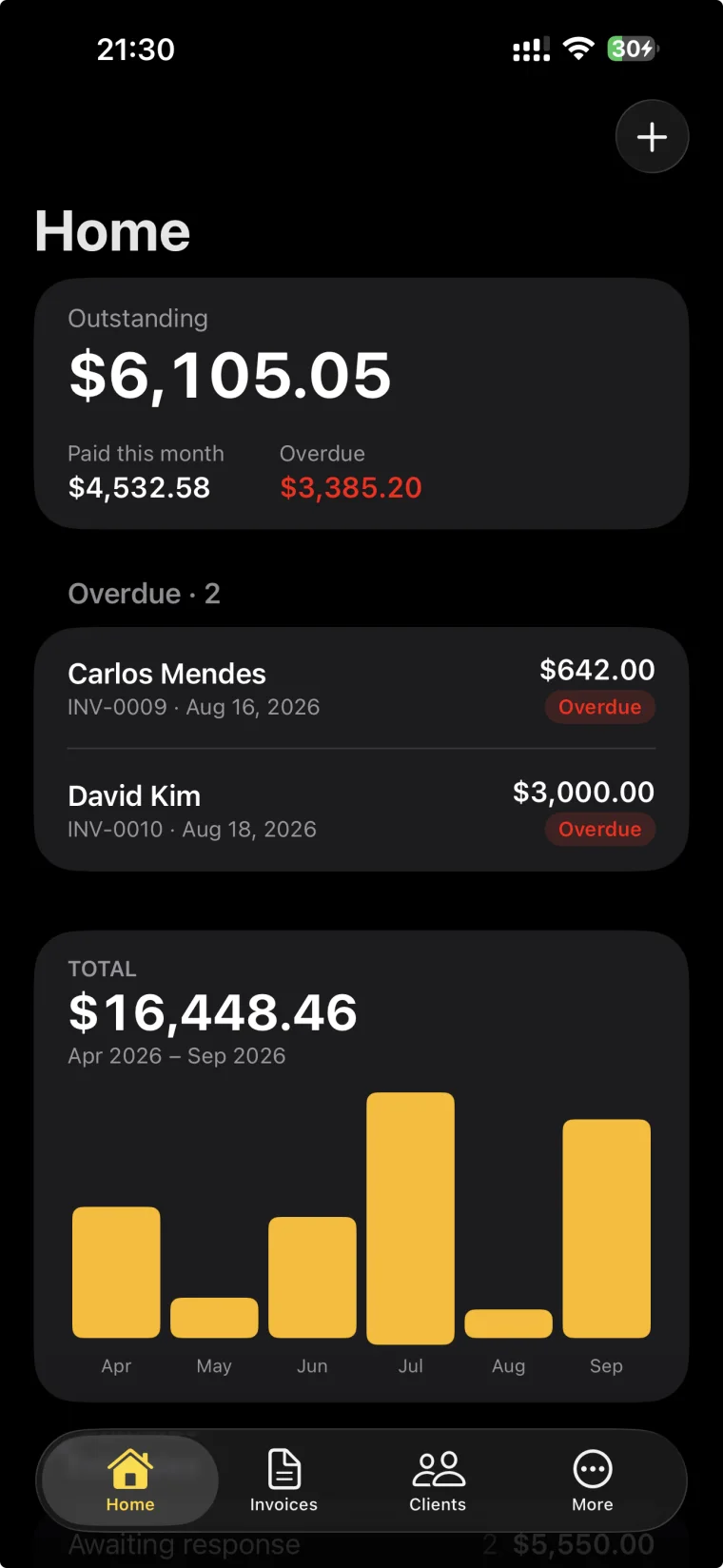
The home screen adds it up: what is outstanding, what came in this month, what is overdue, and a bar for each of the last six months.
Getting paid
Pay this invoice, on the phone it arrived on.
Say how you want to be paid and it goes on the invoice itself. Connect your own Stripe or Square account and every invoice carries a link for exactly what it owes; or print a PayPal.me address and your bank details.
Stripe
Your own Stripe account. Each invoice gets a link made for its own amount.
PayPal
A paypal.me address that already carries the amount. Nothing to set up but your name.
Square
Your own Square account, a Quick Pay link per invoice.
Bank transfer
Account name, bank, routing and account number, printed the way a US invoice states them.
Every link prints with its QR code, so a paper invoice is one camera away from being paid — and a payment made through Stripe or Square records itself.
Send your first invoice today
Free to start, and no account needed to try it.
Getting paid
A dashboard, not accounting
What is outstanding, what came in this month, what is overdue, and six months of collections.
Numbering that keeps itself
Your own prefix and a counter that never repeats a number.
FAQ
- Is it really free?
- Yes. You can create unlimited invoices, estimates, clients and products, and record payments, without paying anything. The free plan sends 3 documents a month; Pro removes that limit.
- What does Pro cost?
- $4.99 a month, or $29.99 a year with a 7-day free trial. Pro gives unlimited sending, all 20 templates, your logo and custom color, and removes the small “Made with Invoice One” line.
- Can I get my data out?
- Any time, on any plan: every document as a PDF in a ZIP, plus a CSV of the lot. Deleting your account offers the export first.